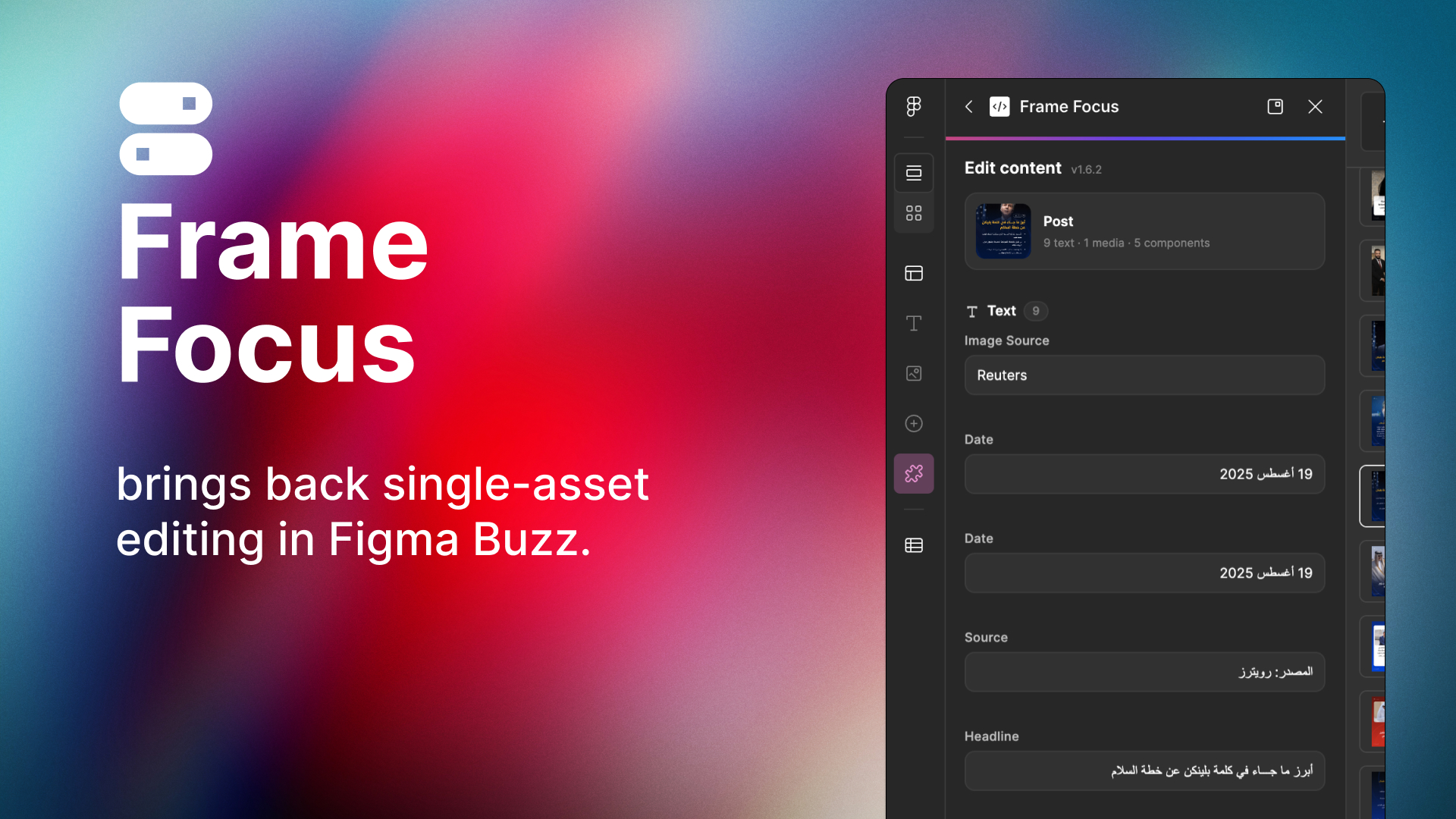
Figma Buzz dropped the per-frame edit panel. Frame Content Editor is a free plugin that brings it back — edit one frame's text and images without a spreadsheet.
Remember the "Edit content" panel in Figma Buzz? Click a frame, see its text and image fields, change what you need. It was simple and it worked.
Then Figma removed it. Now the only way to change template content is bulk editing — upload a spreadsheet and update every frame at once. Great if you're generating 200 posts. Annoying if you just want to fix one date.
So I built a plugin that brings the old panel back.
Frame Content Editor
Select a frame, open the plugin, and you get a panel with every editable field in that frame:
- Text — one input per field, named after the layer. Type and the canvas updates.
- Media — one slot per image. Click, pick a file, done.
Move to another frame and the panel follows you. That's it. No setup, no changes to your templates, nothing leaves your machine.
Get it
- Open a Buzz file and go to the Plugins tab in the left panel.
- Search Frame Content Editor or use the link below.
- Hit Pin to top so it's always one click away.
Install Frame Content Editor →
It's Buzz-only and it's free. If something doesn't work with your template, let me know — most fixes are quick.
Tags
figma, figma buzz, figma plugin, design tools, marketing design, templates, design workflow